
1. Introduction
Photoshop for Printing Business Photoshop Adobe द्वारा विकसित एक Raster Graphic Editing Software है। इसका उपयोग Photo Editing, Image Retouching, Background Removal, Banner Design, Social Media Graphics, Packaging Design तथा Printing Industry में High Resolution Images तैयार करने के लिए किया जाता है।
यदि आप Printing Business शुरू करना चाहते हैं या पहले से Printing का काम करते हैं, तो Photoshop सीखना आपके लिए बहुत महत्वपूर्ण है। इस लेख में हम Photoshop क्या है, यह कैसे काम करता है, Printing Business में इसकी क्या Importance है, इसके Basic Tools, Resolution, CMYK, DPI और Practical Uses के बारे में विस्तार से जानेंगे।
“यदि आप Vector Designing सीखना चाहते हैं, तो हमारा CorelDRAW for Printing Business Guide भी पढ़ें।”
2. Photoshop क्या है?
Photoshop for printing business इसमे हम photo editing, Photography, wedding photography, Film making & Animation की image को create और colour correction कर सकते हैं, ये एक graphic based software है।
इसमें बनने वाली image के different – different format होते हैं, जैसे PNG, JPEG, PNG, TIFF, GIF & Etc. इस software को दो भाइयो ने मिलकर John Knoll और Thomas Knoll ने 1987 में Invent किया था।
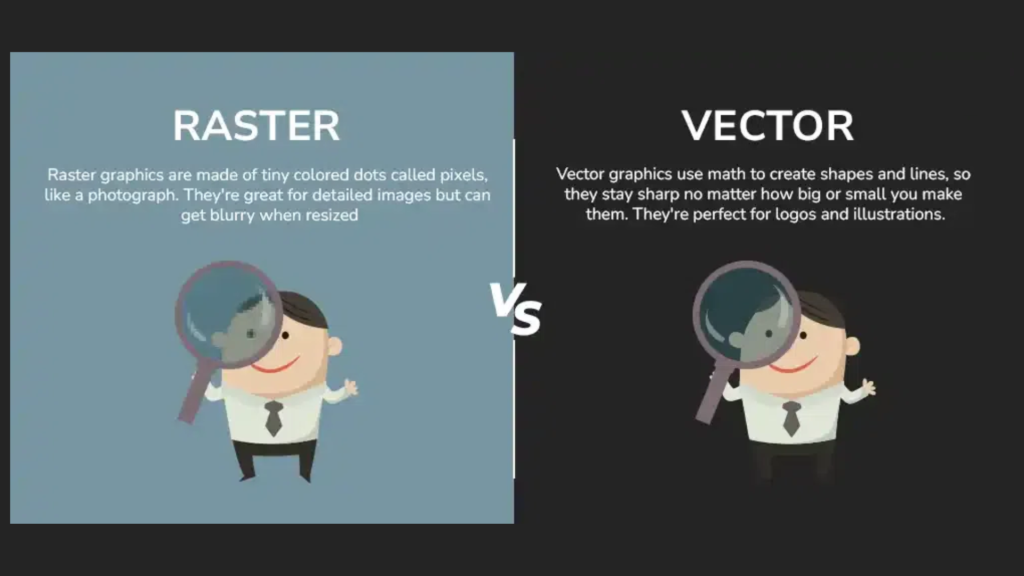
Graphic design two parts में बटा हुआ है, one is Vector graphic design second is Raster graphic design, Photoshop एक Raster graphic design software है, इसमें कोई भी image pixel के द्वारा create होती है, बहुत zoom करने पर आपको image pixel में दिखाई देगी।
| Photoshop | CorelDRAW |
|---|---|
| Raster Graphics | Vector Graphics |
| Pixels | Curves & Nodes |
| Photo Editing | Logo & Layout Design |
| Image Retouching | Printing Layout |
| Background Removal | Visiting Card Design |
| Image Manipulation | Flex & Banner Design |
3. Photoshop for Printing Business क्यों ज़रूरी है?
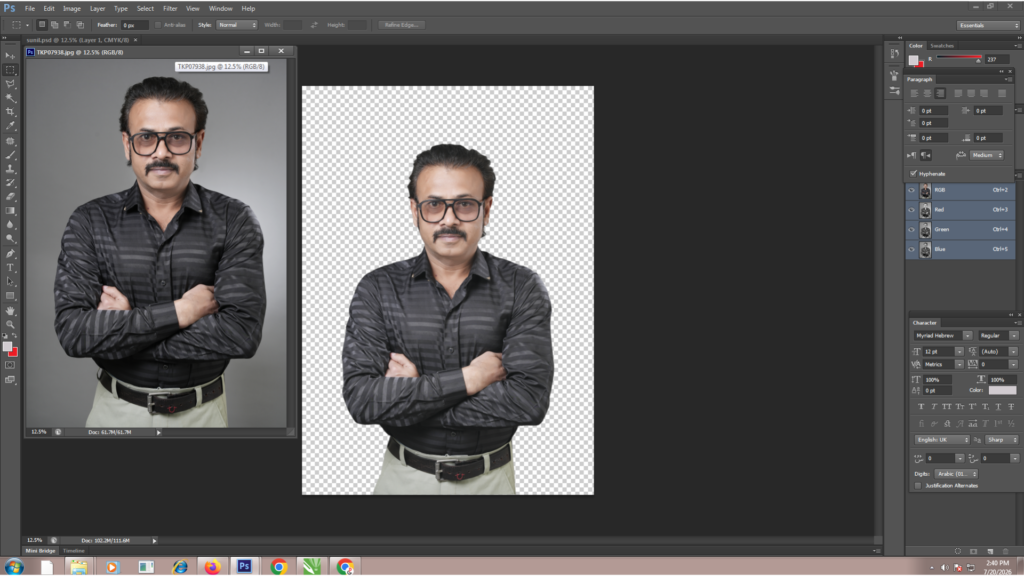
Photoshop for Printing Business Photoshop software मैं हम किसी भी image की background remove करके PNG format में किसी भी graphic design में replace कर सकते हैं।
Without loss of resolution और किसी भी printing job को 4 colour image या job को 3 colour convert कर सकते है without data loss किये हुए और printing business में profit कर सकते हैं।
Photoshop में किसी भी image को Smooth, Clear & Sharp कर सकते है, Flex printing में अक्सर black colour printing करने में परेशानी होती है तो photoshop में Tiff Format file में black colour को replace कर सकते है बाकि colour के साथ।
Photoshop में किसी भी image का mode change कर सकते है जैसे की Printing के लिए CMYK, Photo Printing के लिए RGB, black & white के लिए grayscale कर सकते हैं।
इसी कारण Photoshop आज लगभग हर Printing Press, Flex Printing Shop, Digital Printing Lab और Photo Studio में उपयोग किया जाता है।
4. FAQ
1. Photoshop क्या है?
Ans:
Photoshop Adobe द्वारा विकसित एक Professional Raster Graphic Editing Software है। इसका उपयोग Photo Editing, Background Removal, Image Retouching, Banner Design और Printing के लिए High Resolution Images तैयार करने में किया जाता है।
2. Printing Business में Photoshop क्यों जरूरी है?
Ans:
Printing Business में Photoshop का उपयोग Photo Editing, Background Remove, CMYK Conversion, Image Correction, TIFF File तैयार करने और High Quality Print Designs बनाने के लिए किया जाता है।
3. क्या Printing के लिए Photoshop अच्छा Software है?
Ans:
हाँ। यदि आपको Photo Editing, Flex Design, Packaging Mockup, Social Media Graphics या Image Correction करनी है, तो Photoshop सबसे लोकप्रिय Software में से एक है।
4. Photoshop में Printing के लिए CMYK क्यों उपयोग किया जाता है?
Ans:
Printing Machines CMYK Color Mode पर काम करती हैं। इसलिए Professional Printing से पहले Design को CMYK में Convert करना आवश्यक होता है ताकि Print Colors अधिक सटीक आएँ।
5. Photoshop में कौन-कौन से File Formats उपयोग होते हैं?
Ans:
Photoshop में मुख्य रूप से PSD, JPEG, PNG, TIFF, PDF और GIF Format उपयोग किए जाते हैं। Printing के लिए TIFF और PDF अधिक उपयुक्त माने जाते हैं।
6. क्या Photoshop Mobile पर चल सकता है?
Ans:
Photoshop के Mobile Apps उपलब्ध हैं, लेकिन Professional Printing Design के लिए Desktop या Laptop Version ही उपयुक्त रहता है।
7. क्या Photoshop सीखने के बाद Printing Business में काम मिल सकता है?
Ans:
हाँ। Photoshop सीखने के बाद आप Printing Press, Digital Printing Shop, Photo Studio, Advertising Agency, Packaging Industry या Freelancing के क्षेत्र में काम कर सकते हैं।
7. Photoshop सीखने में कितना समय लगता है?
Ans:
यदि आप रोज़ 1–2 घंटे Practice करते हैं, तो 2–3 महीनों में Basic Photoshop अच्छी तरह सीख सकते हैं। Professional स्तर तक पहुँचने के लिए नियमित Practice आवश्यक है।
Conclusion & Call to Action
यदि आप Printing Business शुरू करना चाहते हैं या Photoshop को Practical तरीके से सीखना चाहते हैं, तो हमारे Printing & Digital Marketing Mastery Program से जुड़ें। यहाँ आपको Photoshop For Printing Business की पूरी Practical Training दी जाती है।
यदि आप Printing Business शुरू करना चाहते हैं या अपने Printing Business को अगले स्तर पर ले जाना चाहते हैं, तो मेरा FREE Live Webinar ज़रूर Join करें।
मैं ठाकुर सुनील चौहान हूँ। मुझे Printing Industry में 35 वर्षों का व्यावहारिक अनुभव है और मुझे PrintWeek Magazine में भी Feature किया जा चुका है। इस Webinar में मैं आपको वास्तविक अनुभव के आधार पर Printing Business शुरू करने, ग्राहकों को बढ़ाने, सही मशीनों का चुनाव करने और Business को Profitably Grow करने की Practical Strategies सिखाऊँगा।
Pingback: CMYK vs RGB Difference क्या है? - Printing Guru